 StatusDeck
Stop Looking for People
Know where your team is at a glance. No more walking the floor, no more "Is Sarah here?" calls, no more guessing.
Image not available
Upload your screenshot to display it here
Sound Familiar?
Every office deals with the same frustrating question, dozens of times a day
""Is Mike available?" ...let me check. "Can you hold?" walks to Mike's desk. Empty. Checks the break room. Not there. Returns to phone. "Sorry, I'll have him call you back.""
47 times a day. Every day.
"Client on line 2 needs answers now. Who on my team can take this? Walk the floor. Check the conference rooms. Ping on Slack. Wait. Walk again."
23 minutes lost per urgent handoff.
"Deep in focus. Finally making progress. Tap on shoulder. "Hey, is Sarah back from lunch?" I don't know. Now where was I?"
It takes 23 minutes to regain focus after an interruption.
"Arrived 5 minutes early for my appointment. "They stepped out, should be back soon." 15 minutes later, still waiting. "Let me try to find them...""
First impressions matter. This isn't one.
What if everyone just knew?
One glance. That's all it takes with StatusDeck.
How StatusDeck Works
Simple hardware meets smart software for effortless team coordination

The StatusDeck dashboard shows your entire team's availability at a glance
One-Button Updates
Press a button on your Stream Deck. That's it. Your status updates everywhere instantly. No apps to open, no messages to type.
Glanceable Dashboard
A TV in the lobby, a tablet at reception, a browser tab on your desk. See everyone's status at a glance from anywhere.
Custom Statuses
Available, In a meeting, Out to lunch, With a client, Back at 2pm. Create statuses that match how your team actually works.
Works for Everyone
No training required. If someone can press a button, they can update their status. Reception knows where people are. Visitors get answers.
Powered by Stream Deck Mini
Loading image...
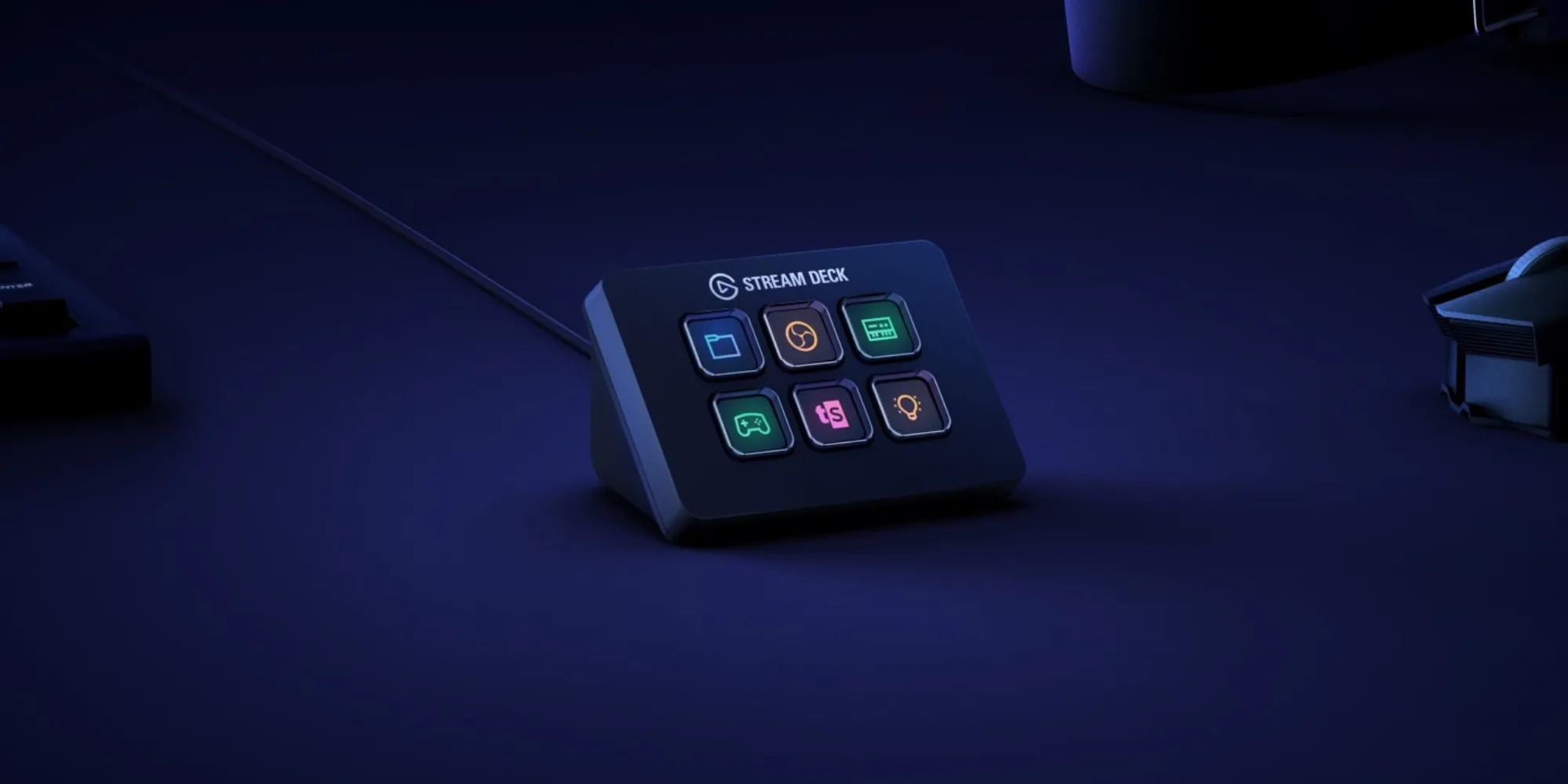
Stream Deck Mini
6 customizable buttons
Instant sync
Image not available
Upload your screenshot to display it here
Team Dashboard
Updates everywhere
Each team member gets a Stream Deck Mini on their desk. Press a button to update your status. Everyone sees the change instantly on shared displays throughout your office.
The Difference is Immediate
From the first day, your team operates differently
Without StatusDeck
Walk the floor to find someone
"Let me check if they're in" (puts caller on hold)
Interrupt a coworker to ask about someone else
"They should be back soon..." (uncertain)
Visitor waits while you search
Missed callbacks, frustrated clients
With StatusDeck
Glance at the dashboard
"Yes, they're available. I'll transfer you now."
See their status without asking anyone
"They'll be back at 2:30pm" (confident)
Visitor is greeted and directed immediately
First-call resolution, happy clients
The Numbers Add Up
Time saved translates directly to money saved. Results vary by team size and workflow.
Hours Saved
500-2,000+
per year
Cost Savings
$5K-$100K+
annually
Payback Period
1-8
weeks
Want to know exactly what StatusDeck could save your team?
Our calculator factors in your team size, workflow patterns, and labor costs
Calculate Your Exact SavingsEstimates based on typical office workflows. Your results will depend on your specific situation.
Total Investment Required
One-Time Costs
Stream Deck Mini devices
20 units × $60
$1,200
Total One-Time
$1,200
Annual Costs
Software subscription
Professional plan - $79/month
$948
Total Annual
$948
First Year Total
One-time + Annual costs
$2,148
Never Wonder Where Anyone Is Again
Give your team the peace of mind that comes with instant visibility
As a solo developer, I thrive on direct feedback from people like you. Whether it's a feature idea, concern, or question about how StatusDeck could improve your workflow - let's talk.